
Beschreibung
250g/m², Format A4 - Hahnemühle Bristol, Calligraphie
Von extremer Weiße und mit sehr glatter Oberfläche bietet dieses Papier viele Möglichkeiten. Säurefrei und alterungsbeständig. Techniken: Bleistift, Buntstift, Filzstift, Tinte.

Qualität aus
Österreich

GRATIS Versand
ab € 49,00 Bestellwert

Versand und Zustellung mit GLS-Paketdienst


€9,99
Vorrätig
250g/m², Format A4 - Hahnemühle Bristol, Calligraphie
Von extremer Weiße und mit sehr glatter Oberfläche bietet dieses Papier viele Möglichkeiten. Säurefrei und alterungsbeständig. Techniken: Bleistift, Buntstift, Filzstift, Tinte.
Qualität aus
Österreich
GRATIS Versand
ab € 49,00 Bestellwert
Versand und Zustellung mit GLS-Paketdienst
 Angebot!
Ursprünglicher Preis war: €39,99€29,99Aktueller Preis ist: €29,99.
In den Warenkorb
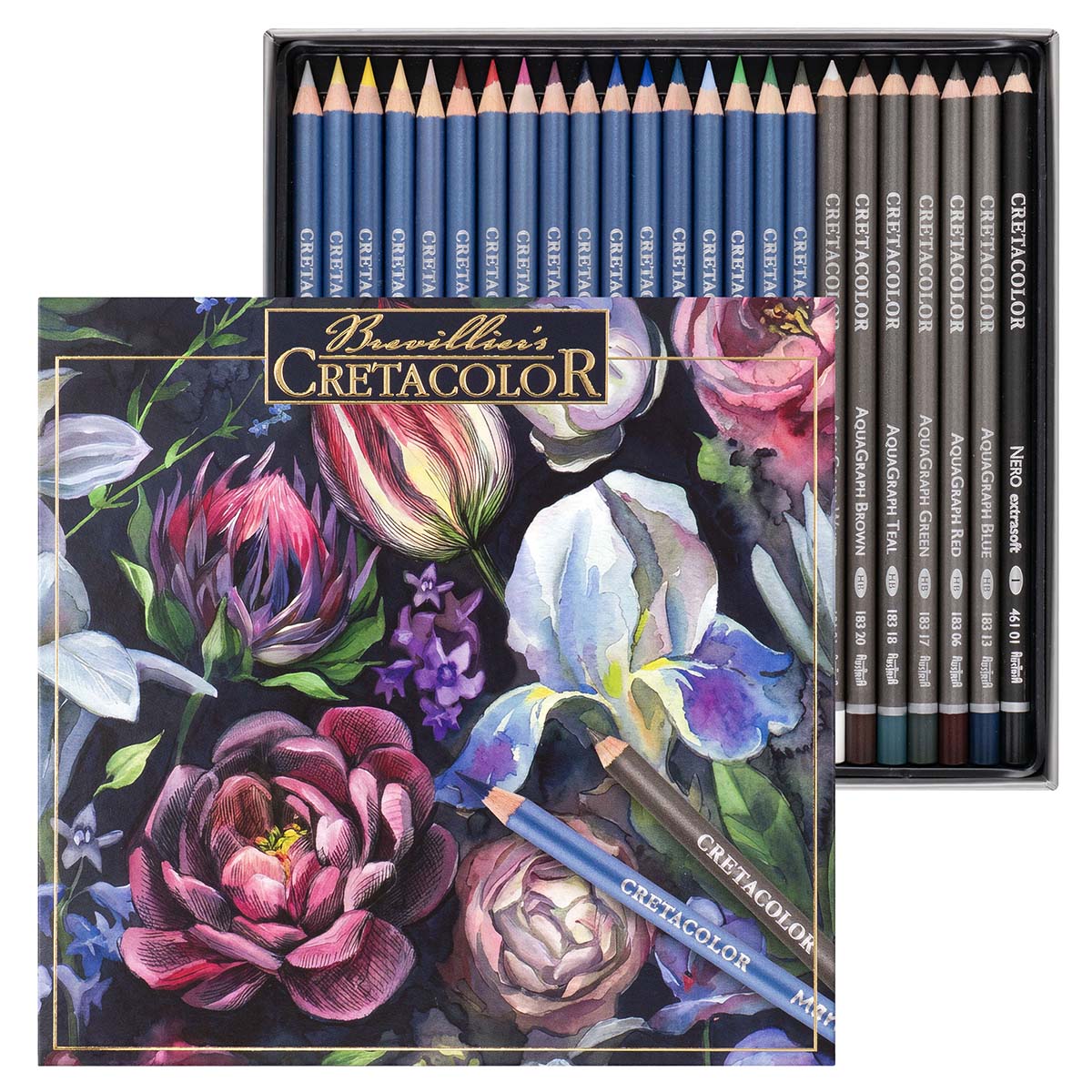 Angebot!
Ursprünglicher Preis war: €39,99€29,99Aktueller Preis ist: €29,99.
In den Warenkorb
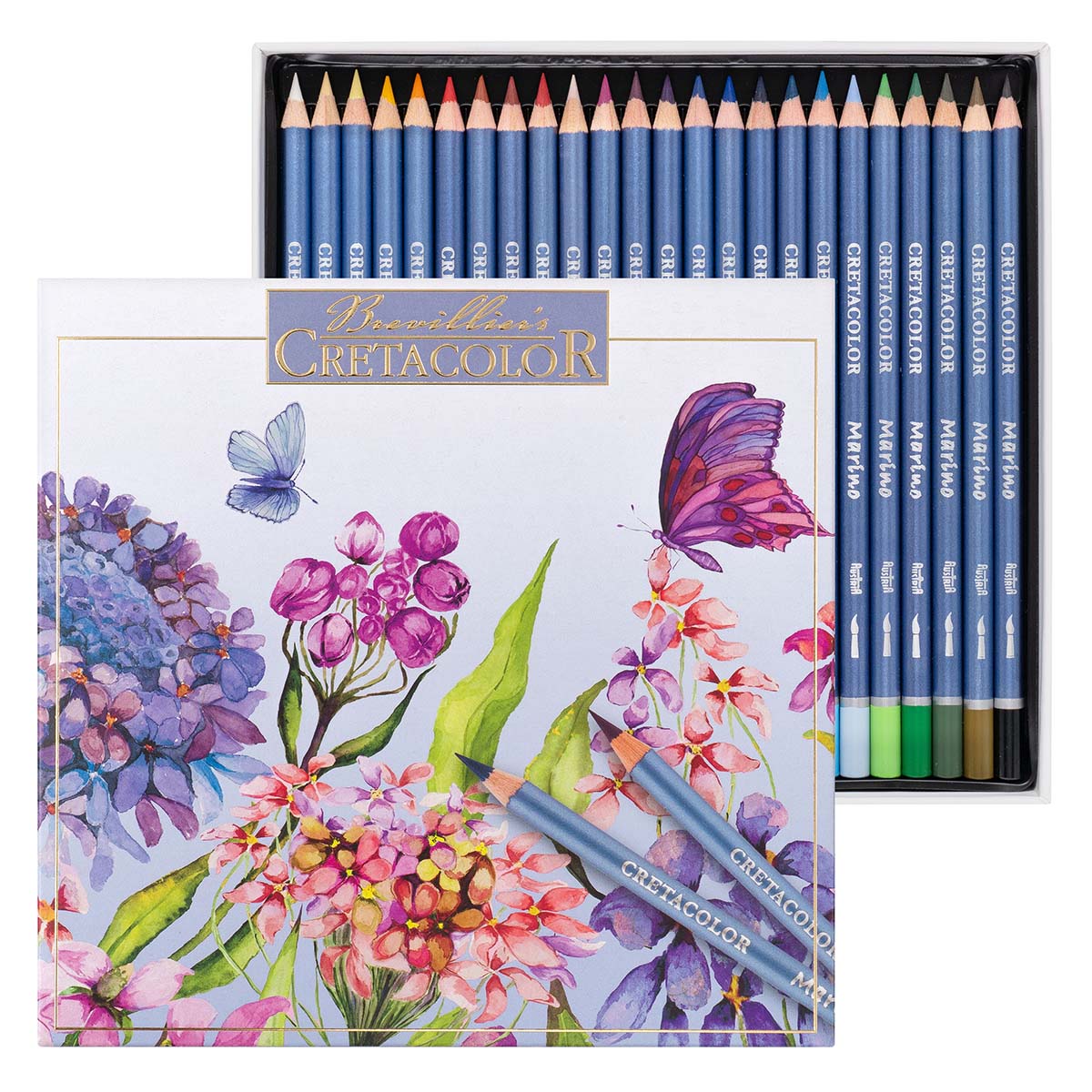 Angebot!
Ursprünglicher Preis war: €39,99€29,99Aktueller Preis ist: €29,99.
In den Warenkorb
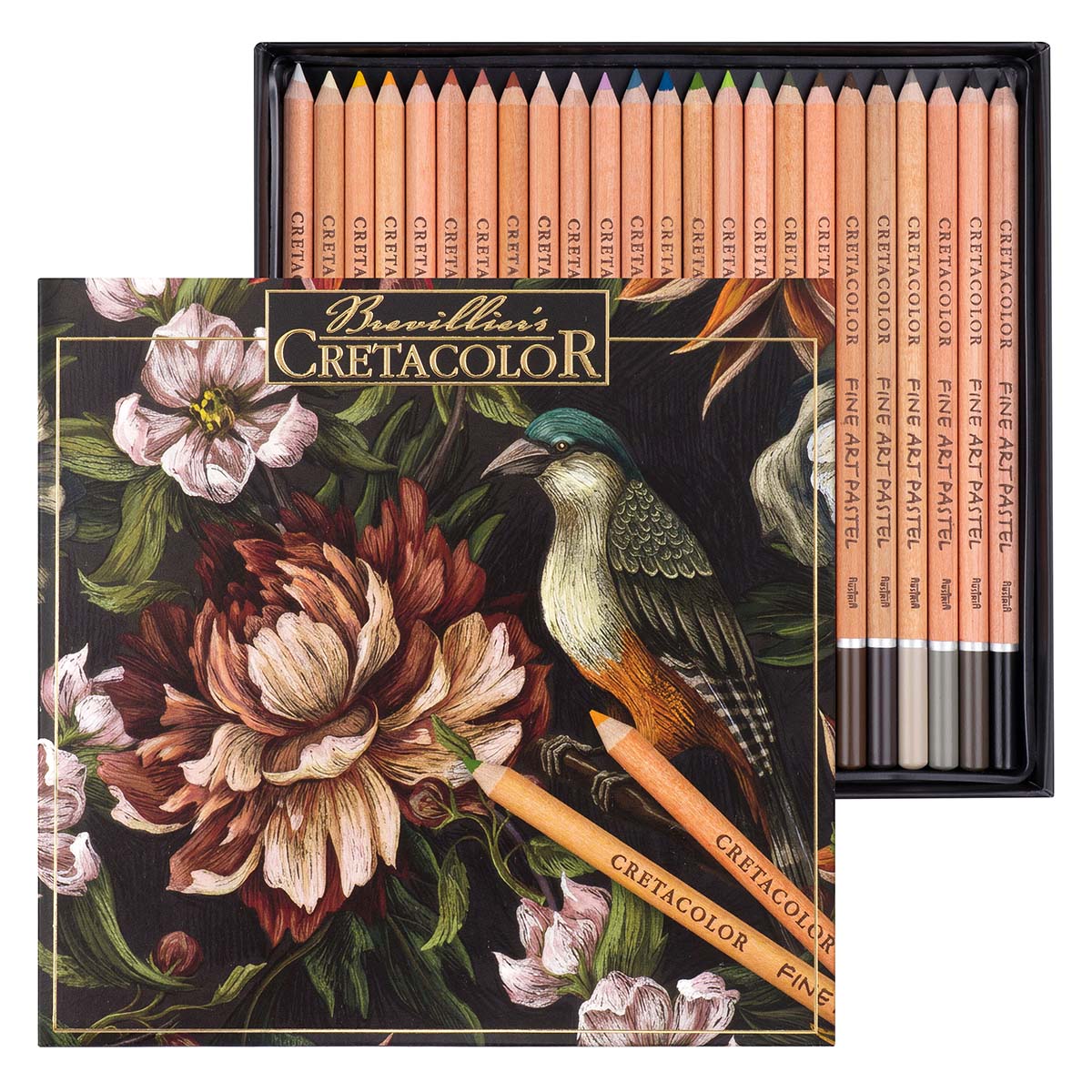 Angebot!
Ursprünglicher Preis war: €39,99€29,99Aktueller Preis ist: €29,99.
In den Warenkorb

To change the background click on the label bar and in the layer window select the style tab.
Choose a source from the background top tab then upload an image or pick a background color.

To change the background click on the label bar and in the layer window select the style tab.
Choose a source from the background top tab then upload an image or pick a background color.
Qualität aus
Österreich
GRATIS Versand
ab € 49,00 Bestellwert
Versand und Zustellung mit GLS-Paketdienst
Angebot!
Ursprünglicher Preis war: €39,99€29,99Aktueller Preis ist: €29,99.
In den Warenkorb
Angebot!
Ursprünglicher Preis war: €39,99€29,99Aktueller Preis ist: €29,99.
In den Warenkorb
Angebot!
Ursprünglicher Preis war: €39,99€29,99Aktueller Preis ist: €29,99.
In den Warenkorb
Angebot!
Ursprünglicher Preis war: €39,99€29,99Aktueller Preis ist: €29,99.
In den Warenkorb
To change the background click on the label bar and in the layer window select the style tab.
Choose a source from the background top tab then upload an image or pick a background color.
To change the background click on the label bar and in the layer window select the style tab.
Choose a source from the background top tab then upload an image or pick a background color.
Qualität aus
Österreich
GRATIS Versand
ab € 49,00 Bestellwert
Versand und Zustellung mit GLS-Paketdienst
Angebot!
Ursprünglicher Preis war: €39,99€29,99Aktueller Preis ist: €29,99.
In den Warenkorb
Angebot!
Ursprünglicher Preis war: €39,99€29,99Aktueller Preis ist: €29,99.
In den Warenkorb
Angebot!
Ursprünglicher Preis war: €39,99€29,99Aktueller Preis ist: €29,99.
In den Warenkorb
Angebot!
Ursprünglicher Preis war: €39,99€29,99Aktueller Preis ist: €29,99.
In den Warenkorb
To change the background click on the label bar and in the layer window select the style tab.
Choose a source from the background top tab then upload an image or pick a background color.
To change the background click on the label bar and in the layer window select the style tab.
Choose a source from the background top tab then upload an image or pick a background color.
Qualität aus
Österreich
GRATIS Versand
ab € 49,00 Bestellwert
Versand und Zustellung mit GLS-Paketdienst
Angebot!
Ursprünglicher Preis war: €39,99€29,99Aktueller Preis ist: €29,99.
In den Warenkorb
Angebot!
Ursprünglicher Preis war: €39,99€29,99Aktueller Preis ist: €29,99.
In den Warenkorb
Angebot!
Ursprünglicher Preis war: €39,99€29,99Aktueller Preis ist: €29,99.
In den Warenkorb
Angebot!
Ursprünglicher Preis war: €39,99€29,99Aktueller Preis ist: €29,99.
In den Warenkorb
To change the background click on the label bar and in the layer window select the style tab.
Choose a source from the background top tab then upload an image or pick a background color.
To change the background click on the label bar and in the layer window select the style tab.
Choose a source from the background top tab then upload an image or pick a background color.
Qualität aus
Österreich
GRATIS Versand
ab € 49,00 Bestellwert
Versand und Zustellung mit GLS-Paketdienst
Angebot!
Ursprünglicher Preis war: €39,99€29,99Aktueller Preis ist: €29,99.
In den Warenkorb
Angebot!
Ursprünglicher Preis war: €39,99€29,99Aktueller Preis ist: €29,99.
In den Warenkorb
Angebot!
Ursprünglicher Preis war: €39,99€29,99Aktueller Preis ist: €29,99.
In den Warenkorb
Angebot!
Ursprünglicher Preis war: €39,99€29,99Aktueller Preis ist: €29,99.
In den Warenkorb
To change the background click on the label bar and in the layer window select the style tab.
Choose a source from the background top tab then upload an image or pick a background color.
To change the background click on the label bar and in the layer window select the style tab.
Choose a source from the background top tab then upload an image or pick a background color.
Qualität aus
Österreich
GRATIS Versand
ab € 49,00 Bestellwert
Versand und Zustellung mit GLS-Paketdienst
Angebot!
Ursprünglicher Preis war: €39,99€29,99Aktueller Preis ist: €29,99.
In den Warenkorb
Angebot!
Ursprünglicher Preis war: €39,99€29,99Aktueller Preis ist: €29,99.
In den Warenkorb
Angebot!
Ursprünglicher Preis war: €39,99€29,99Aktueller Preis ist: €29,99.
In den Warenkorb
Angebot!
Ursprünglicher Preis war: €39,99€29,99Aktueller Preis ist: €29,99.
In den Warenkorb
To change the background click on the label bar and in the layer window select the style tab.
Choose a source from the background top tab then upload an image or pick a background color.
To change the background click on the label bar and in the layer window select the style tab.
Choose a source from the background top tab then upload an image or pick a background color.
Qualität aus
Österreich
GRATIS Versand
ab € 49,00 Bestellwert
Versand und Zustellung mit GLS-Paketdienst
Angebot!
Ursprünglicher Preis war: €39,99€29,99Aktueller Preis ist: €29,99.
In den Warenkorb
Angebot!
Ursprünglicher Preis war: €39,99€29,99Aktueller Preis ist: €29,99.
In den Warenkorb
Angebot!
Ursprünglicher Preis war: €39,99€29,99Aktueller Preis ist: €29,99.
In den Warenkorb
Angebot!
Ursprünglicher Preis war: €39,99€29,99Aktueller Preis ist: €29,99.
In den Warenkorb
To change the background click on the label bar and in the layer window select the style tab.
Choose a source from the background top tab then upload an image or pick a background color.
To change the background click on the label bar and in the layer window select the style tab.
Choose a source from the background top tab then upload an image or pick a background color.
Qualität aus
Österreich
GRATIS Versand
ab € 49,00 Bestellwert
Versand und Zustellung mit GLS-Paketdienst
Angebot!
Ursprünglicher Preis war: €39,99€29,99Aktueller Preis ist: €29,99.
In den Warenkorb
Angebot!
Ursprünglicher Preis war: €39,99€29,99Aktueller Preis ist: €29,99.
In den Warenkorb
Angebot!
Ursprünglicher Preis war: €39,99€29,99Aktueller Preis ist: €29,99.
In den Warenkorb
Angebot!
Ursprünglicher Preis war: €39,99€29,99Aktueller Preis ist: €29,99.
In den Warenkorb
To change the background click on the label bar and in the layer window select the style tab.
Choose a source from the background top tab then upload an image or pick a background color.
To change the background click on the label bar and in the layer window select the style tab.
Choose a source from the background top tab then upload an image or pick a background color.
Qualität aus
Österreich
GRATIS Versand
ab € 49,00 Bestellwert
Versand und Zustellung mit GLS-Paketdienst
Angebot!
Ursprünglicher Preis war: €39,99€29,99Aktueller Preis ist: €29,99.
In den Warenkorb
Angebot!
Ursprünglicher Preis war: €39,99€29,99Aktueller Preis ist: €29,99.
In den Warenkorb
Angebot!
Ursprünglicher Preis war: €39,99€29,99Aktueller Preis ist: €29,99.
In den Warenkorb
Angebot!
Ursprünglicher Preis war: €39,99€29,99Aktueller Preis ist: €29,99.
In den Warenkorb
To change the background click on the label bar and in the layer window select the style tab.
Choose a source from the background top tab then upload an image or pick a background color.
To change the background click on the label bar and in the layer window select the style tab.
Choose a source from the background top tab then upload an image or pick a background color.
Qualität aus
Österreich
GRATIS Versand
ab € 49,00 Bestellwert
Versand und Zustellung mit GLS-Paketdienst
Angebot!
Ursprünglicher Preis war: €39,99€29,99Aktueller Preis ist: €29,99.
In den Warenkorb
Angebot!
Ursprünglicher Preis war: €39,99€29,99Aktueller Preis ist: €29,99.
In den Warenkorb
Angebot!
Ursprünglicher Preis war: €39,99€29,99Aktueller Preis ist: €29,99.
In den Warenkorb
Angebot!
Ursprünglicher Preis war: €39,99€29,99Aktueller Preis ist: €29,99.
In den Warenkorb
To change the background click on the label bar and in the layer window select the style tab.
Choose a source from the background top tab then upload an image or pick a background color.
To change the background click on the label bar and in the layer window select the style tab.
Choose a source from the background top tab then upload an image or pick a background color.
Qualität aus
Österreich
GRATIS Versand
ab € 49,00 Bestellwert
Versand und Zustellung mit GLS-Paketdienst
Angebot!
Ursprünglicher Preis war: €39,99€29,99Aktueller Preis ist: €29,99.
In den Warenkorb
Angebot!
Ursprünglicher Preis war: €39,99€29,99Aktueller Preis ist: €29,99.
In den Warenkorb
Angebot!
Ursprünglicher Preis war: €39,99€29,99Aktueller Preis ist: €29,99.
In den Warenkorb
Angebot!
Ursprünglicher Preis war: €39,99€29,99Aktueller Preis ist: €29,99.
In den Warenkorb
To change the background click on the label bar and in the layer window select the style tab.
Choose a source from the background top tab then upload an image or pick a background color.
To change the background click on the label bar and in the layer window select the style tab.
Choose a source from the background top tab then upload an image or pick a background color.
Qualität aus
Österreich
GRATIS Versand
ab € 49,00 Bestellwert
Versand und Zustellung mit GLS-Paketdienst
Angebot!
Ursprünglicher Preis war: €39,99€29,99Aktueller Preis ist: €29,99.
In den Warenkorb
Angebot!
Ursprünglicher Preis war: €39,99€29,99Aktueller Preis ist: €29,99.
In den Warenkorb
Angebot!
Ursprünglicher Preis war: €39,99€29,99Aktueller Preis ist: €29,99.
In den Warenkorb
Angebot!
Ursprünglicher Preis war: €39,99€29,99Aktueller Preis ist: €29,99.
In den Warenkorb
To change the background click on the label bar and in the layer window select the style tab.
Choose a source from the background top tab then upload an image or pick a background color.
To change the background click on the label bar and in the layer window select the style tab.
Choose a source from the background top tab then upload an image or pick a background color.
Qualität aus
Österreich
GRATIS Versand
ab € 49,00 Bestellwert
Versand und Zustellung mit GLS-Paketdienst
Angebot!
Ursprünglicher Preis war: €39,99€29,99Aktueller Preis ist: €29,99.
In den Warenkorb
Angebot!
Ursprünglicher Preis war: €39,99€29,99Aktueller Preis ist: €29,99.
In den Warenkorb
Angebot!
Ursprünglicher Preis war: €39,99€29,99Aktueller Preis ist: €29,99.
In den Warenkorb
Angebot!
Ursprünglicher Preis war: €39,99€29,99Aktueller Preis ist: €29,99.
In den Warenkorb
To change the background click on the label bar and in the layer window select the style tab.
Choose a source from the background top tab then upload an image or pick a background color.
To change the background click on the label bar and in the layer window select the style tab.
Choose a source from the background top tab then upload an image or pick a background color.
Qualität aus
Österreich
GRATIS Versand
ab € 49,00 Bestellwert
Versand und Zustellung mit GLS-Paketdienst
Angebot!
Ursprünglicher Preis war: €39,99€29,99Aktueller Preis ist: €29,99.
In den Warenkorb
Angebot!
Ursprünglicher Preis war: €39,99€29,99Aktueller Preis ist: €29,99.
In den Warenkorb
Angebot!
Ursprünglicher Preis war: €39,99€29,99Aktueller Preis ist: €29,99.
In den Warenkorb
Angebot!
Ursprünglicher Preis war: €39,99€29,99Aktueller Preis ist: €29,99.
In den Warenkorb
To change the background click on the label bar and in the layer window select the style tab.
Choose a source from the background top tab then upload an image or pick a background color.
To change the background click on the label bar and in the layer window select the style tab.
Choose a source from the background top tab then upload an image or pick a background color.
Qualität aus
Österreich
GRATIS Versand
ab € 49,00 Bestellwert
Versand und Zustellung mit GLS-Paketdienst
Angebot!
Ursprünglicher Preis war: €39,99€29,99Aktueller Preis ist: €29,99.
In den Warenkorb
Angebot!
Ursprünglicher Preis war: €39,99€29,99Aktueller Preis ist: €29,99.
In den Warenkorb
Angebot!
Ursprünglicher Preis war: €39,99€29,99Aktueller Preis ist: €29,99.
In den Warenkorb
Angebot!
Ursprünglicher Preis war: €39,99€29,99Aktueller Preis ist: €29,99.
In den Warenkorb
To change the background click on the label bar and in the layer window select the style tab.
Choose a source from the background top tab then upload an image or pick a background color.
To change the background click on the label bar and in the layer window select the style tab.
Choose a source from the background top tab then upload an image or pick a background color.
Qualität aus
Österreich
GRATIS Versand
ab € 49,00 Bestellwert
Versand und Zustellung mit GLS-Paketdienst
Angebot!
Ursprünglicher Preis war: €39,99€29,99Aktueller Preis ist: €29,99.
In den Warenkorb
Angebot!
Ursprünglicher Preis war: €39,99€29,99Aktueller Preis ist: €29,99.
In den Warenkorb
Angebot!
Ursprünglicher Preis war: €39,99€29,99Aktueller Preis ist: €29,99.
In den Warenkorb
Angebot!
Ursprünglicher Preis war: €39,99€29,99Aktueller Preis ist: €29,99.
In den Warenkorb
To change the background click on the label bar and in the layer window select the style tab.
Choose a source from the background top tab then upload an image or pick a background color.
To change the background click on the label bar and in the layer window select the style tab.
Choose a source from the background top tab then upload an image or pick a background color.
Qualität aus
Österreich
GRATIS Versand
ab € 49,00 Bestellwert
Versand und Zustellung mit GLS-Paketdienst
Angebot!
Ursprünglicher Preis war: €39,99€29,99Aktueller Preis ist: €29,99.
In den Warenkorb
Angebot!
Ursprünglicher Preis war: €39,99€29,99Aktueller Preis ist: €29,99.
In den Warenkorb
Angebot!
Ursprünglicher Preis war: €39,99€29,99Aktueller Preis ist: €29,99.
In den Warenkorb
Angebot!
Ursprünglicher Preis war: €39,99€29,99Aktueller Preis ist: €29,99.
In den Warenkorb
To change the background click on the label bar and in the layer window select the style tab.
Choose a source from the background top tab then upload an image or pick a background color.
To change the background click on the label bar and in the layer window select the style tab.
Choose a source from the background top tab then upload an image or pick a background color.
Qualität aus
Österreich
GRATIS Versand
ab € 49,00 Bestellwert
Versand und Zustellung mit GLS-Paketdienst
Angebot!
Ursprünglicher Preis war: €39,99€29,99Aktueller Preis ist: €29,99.
In den Warenkorb
Angebot!
Ursprünglicher Preis war: €39,99€29,99Aktueller Preis ist: €29,99.
In den Warenkorb
Angebot!
Ursprünglicher Preis war: €39,99€29,99Aktueller Preis ist: €29,99.
In den Warenkorb
Angebot!
Ursprünglicher Preis war: €39,99€29,99Aktueller Preis ist: €29,99.
In den Warenkorb
To change the background click on the label bar and in the layer window select the style tab.
Choose a source from the background top tab then upload an image or pick a background color.
To change the background click on the label bar and in the layer window select the style tab.
Choose a source from the background top tab then upload an image or pick a background color.
Qualität aus
Österreich
GRATIS Versand
ab € 49,00 Bestellwert
Versand und Zustellung mit GLS-Paketdienst
Angebot!
Ursprünglicher Preis war: €39,99€29,99Aktueller Preis ist: €29,99.
In den Warenkorb
Angebot!
Ursprünglicher Preis war: €39,99€29,99Aktueller Preis ist: €29,99.
In den Warenkorb
Angebot!
Ursprünglicher Preis war: €39,99€29,99Aktueller Preis ist: €29,99.
In den Warenkorb
Angebot!
Ursprünglicher Preis war: €39,99€29,99Aktueller Preis ist: €29,99.
In den Warenkorb
To change the background click on the label bar and in the layer window select the style tab.
Choose a source from the background top tab then upload an image or pick a background color.
To change the background click on the label bar and in the layer window select the style tab.
Choose a source from the background top tab then upload an image or pick a background color.
Qualität aus
Österreich
GRATIS Versand
ab € 49,00 Bestellwert
Versand und Zustellung mit GLS-Paketdienst
Angebot!
Ursprünglicher Preis war: €39,99€29,99Aktueller Preis ist: €29,99.
In den Warenkorb
Angebot!
Ursprünglicher Preis war: €39,99€29,99Aktueller Preis ist: €29,99.
In den Warenkorb
Angebot!
Ursprünglicher Preis war: €39,99€29,99Aktueller Preis ist: €29,99.
In den Warenkorb
Angebot!
Ursprünglicher Preis war: €39,99€29,99Aktueller Preis ist: €29,99.
In den Warenkorb
To change the background click on the label bar and in the layer window select the style tab.
Choose a source from the background top tab then upload an image or pick a background color.
To change the background click on the label bar and in the layer window select the style tab.
Choose a source from the background top tab then upload an image or pick a background color.
Qualität aus
Österreich
GRATIS Versand
ab € 49,00 Bestellwert
Versand und Zustellung mit GLS-Paketdienst
Angebot!
Ursprünglicher Preis war: €39,99€29,99Aktueller Preis ist: €29,99.
In den Warenkorb
Angebot!
Ursprünglicher Preis war: €39,99€29,99Aktueller Preis ist: €29,99.
In den Warenkorb
Angebot!
Ursprünglicher Preis war: €39,99€29,99Aktueller Preis ist: €29,99.
In den Warenkorb
Angebot!
Ursprünglicher Preis war: €39,99€29,99Aktueller Preis ist: €29,99.
In den Warenkorb
To change the background click on the label bar and in the layer window select the style tab.
Choose a source from the background top tab then upload an image or pick a background color.
To change the background click on the label bar and in the layer window select the style tab.
Choose a source from the background top tab then upload an image or pick a background color.
Qualität aus
Österreich
GRATIS Versand
ab € 49,00 Bestellwert
Versand und Zustellung mit GLS-Paketdienst
Angebot!
Ursprünglicher Preis war: €39,99€29,99Aktueller Preis ist: €29,99.
In den Warenkorb
Angebot!
Ursprünglicher Preis war: €39,99€29,99Aktueller Preis ist: €29,99.
In den Warenkorb
Angebot!
Ursprünglicher Preis war: €39,99€29,99Aktueller Preis ist: €29,99.
In den Warenkorb
Angebot!
Ursprünglicher Preis war: €39,99€29,99Aktueller Preis ist: €29,99.
In den Warenkorb
To change the background click on the label bar and in the layer window select the style tab.
Choose a source from the background top tab then upload an image or pick a background color.
To change the background click on the label bar and in the layer window select the style tab.
Choose a source from the background top tab then upload an image or pick a background color.
Qualität aus
Österreich
GRATIS Versand
ab € 49,00 Bestellwert
Versand und Zustellung mit GLS-Paketdienst
Angebot!
Ursprünglicher Preis war: €39,99€29,99Aktueller Preis ist: €29,99.
In den Warenkorb
Angebot!
Ursprünglicher Preis war: €39,99€29,99Aktueller Preis ist: €29,99.
In den Warenkorb
Angebot!
Ursprünglicher Preis war: €39,99€29,99Aktueller Preis ist: €29,99.
In den Warenkorb
Angebot!
Ursprünglicher Preis war: €39,99€29,99Aktueller Preis ist: €29,99.
In den Warenkorb
To change the background click on the label bar and in the layer window select the style tab.
Choose a source from the background top tab then upload an image or pick a background color.
To change the background click on the label bar and in the layer window select the style tab.
Choose a source from the background top tab then upload an image or pick a background color.
Qualität aus
Österreich
GRATIS Versand
ab € 49,00 Bestellwert
Versand und Zustellung mit GLS-Paketdienst
Angebot!
Ursprünglicher Preis war: €39,99€29,99Aktueller Preis ist: €29,99.
In den Warenkorb
Angebot!
Ursprünglicher Preis war: €39,99€29,99Aktueller Preis ist: €29,99.
In den Warenkorb
Angebot!
Ursprünglicher Preis war: €39,99€29,99Aktueller Preis ist: €29,99.
In den Warenkorb
Angebot!
Ursprünglicher Preis war: €39,99€29,99Aktueller Preis ist: €29,99.
In den Warenkorb
To change the background click on the label bar and in the layer window select the style tab.
Choose a source from the background top tab then upload an image or pick a background color.
To change the background click on the label bar and in the layer window select the style tab.
Choose a source from the background top tab then upload an image or pick a background color.
Qualität aus
Österreich
GRATIS Versand
ab € 49,00 Bestellwert
Versand und Zustellung mit GLS-Paketdienst
Angebot!
Ursprünglicher Preis war: €39,99€29,99Aktueller Preis ist: €29,99.
In den Warenkorb
Angebot!
Ursprünglicher Preis war: €39,99€29,99Aktueller Preis ist: €29,99.
In den Warenkorb
Angebot!
Ursprünglicher Preis war: €39,99€29,99Aktueller Preis ist: €29,99.
In den Warenkorb
Angebot!
Ursprünglicher Preis war: €39,99€29,99Aktueller Preis ist: €29,99.
In den Warenkorb